

MomoGameTracker: A Practical Tool for Automatic Gameplay Tracking & Sharing
I built this cross-platform app that helps you track your gaming. Gives you a way to easily track what you are playing, integrates with third-party apps like Discord and GamerProfiles, and also gives you analytics and statistics of your gaming history. Go to https://momocoder.click/momoGameTracker-app for more info.


MomoGameTracker is a lightweight, cross‑platform utility designed to monitor your gaming activity without requiring constant user input. It stands out for its simplicity and the fact that it integrates cleanly with existing gaming ecosystems like Discord and GamerProfiles. In addition, it has a basic integration with Twitch that allows you to manage your stream on Twitch.
Automatic Game Detection
One of the core strengths of MomoGameTracker is its ability to detect running games across Windows, macOS, and Linux. The detection runs locally and doesn’t rely on cloud lookups, which keeps it fast and privacy‑friendly. In practice, it identifies most desktop games reliably and starts logging sessions as soon as the process launches. It is highly configurable regarding allowing/blocking the games you want to auto-track.
Integrations That Actually Work
Instead of trying to reinvent social features, MomoGameTracker plugs into platforms players already use:
- Discord Rich Presence updates your status automatically
- GamerProfiles sync keeps your public gaming profile up to date
Detailed Statistics & Insights
The app includes a built‑in analytics view that visualizes your playtime using clean, readable charts. You can review:
- Total hours per game
- Session history
- Weekly and monthly trends
It’s not overloaded with features, but it provides enough data to understand your habits without feeling like a full analytics dashboard.
Mobile Game Support (Manual)
Since mobile platforms don’t expose running‑app data the same way desktops do, MomoGameTracker allows manual logging for mobile titles. It’s a simple system, but useful if you want a complete record of your gaming across all devices.
How It Works
- Install & Configure: Installation is straightforward. After the first launch, the tracker runs in the background and starts monitoring games automatically.
- Connect Your Accounts: Optional integrations can be linked from the settings panel. Once connected, updates are pushed automatically.
- Play & Share: From that point on, the app handles detection, logging, and syncing without further input.
See It in Action
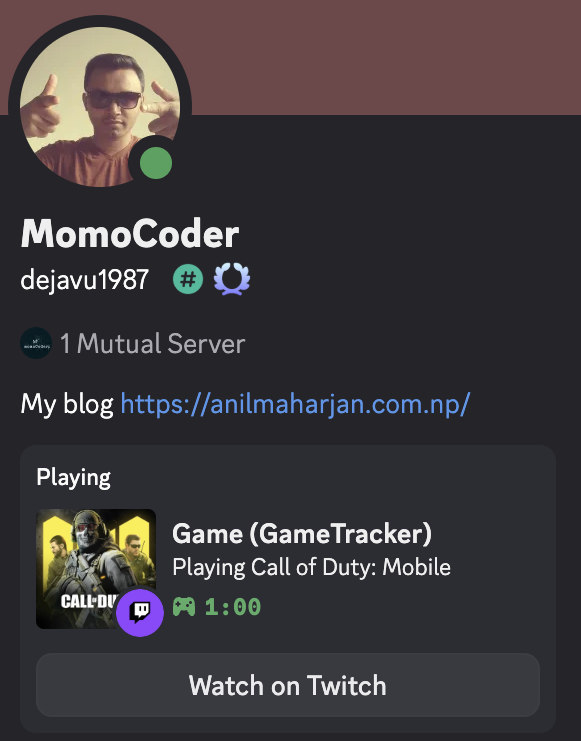
Discord Rich Presence Integration
Show your current game and playtime directly in Discord
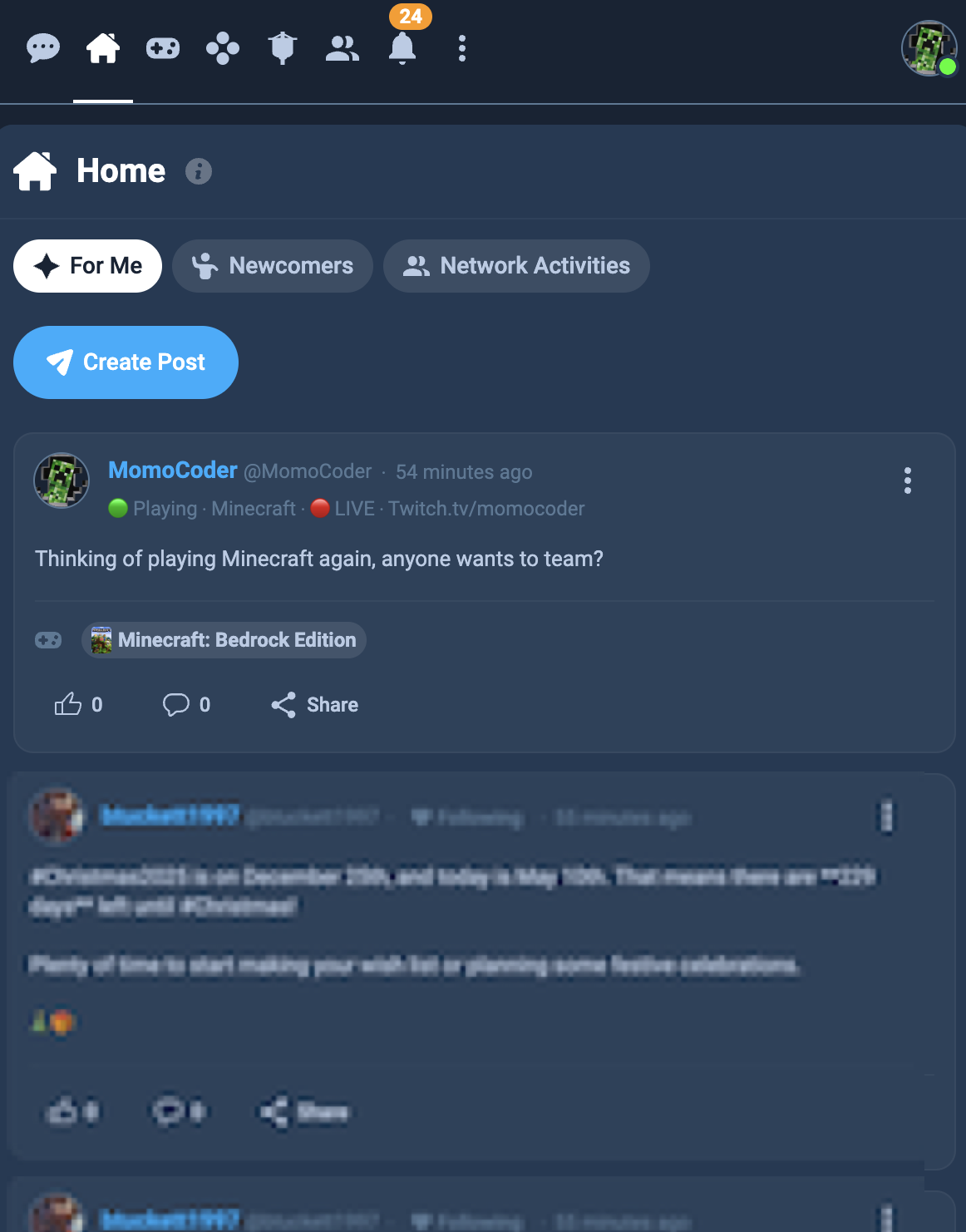
GamerProfiles Integration
Automatically update your GamerProfiles status with your current game
Ready to Level Up Your Gaming Experience?
Join thousands of gamers who are already using MomoGameTracker